


Understanding Speaker System Diagnostics and Maintenance


Speaker systems are the heart of any setup, whether for home entertainment, professional audio, or live performances. However, they can encounter issues that affect sound quality and performance. Understanding how to diagnose and maintain your speaker system is crucial for ensuring longevity and optimal performance. This guide will walk you through the essential aspects of speaker system diagnostics and maintenance, providing you with practical tips and insights.
The Importance of Speaker System Maintenance
Regular maintenance of your speaker system is vital to maintain peak performance and reduce repair costs over its lifespan.
Sound Quality: Over time, dust and debris can accumulate, affecting sound clarity. Regular cleaning helps maintain high audio quality.
Longevity: Proper care can extend the lifespan of your speakers, saving you money on replacements.
Performance: Regular diagnostics can identify issues before they become significant problems, ensuring your system performs at its best.
Understanding common issues can help you diagnose problems quickly. Here are some frequent issues you might encounter.

Distortion can arise from several causes; here are a few considerations to keep in mind when diagnosing the problem.
Overdriving the Speakers: Playing audio at excessively high volumes can cause distortion. Always keep the volume within a reasonable range.
Faulty Cables: Damaged or low-quality cables can lead to signal loss and distortion. Inspect cables regularly for wear and tear.
Faulty Diaphragm: If the treble is distorted or the audio lacks clarity, the high-frequency driver could be damaged.
Faulty Low-End Driver: If the low-end emits a farting or crackling sound, it could be due to the cone rubbing or being torn, or the speaker's magnet might be out of alignment.

If your speakers are not producing sound, consider these possible reasons.
Power Issues: Ensure that your speakers are plugged in and powered on.
Check for blown fuses or tripped circuit breakers.
Is the power light on the speaker illuminated?
Inspect for a Faulty Signal Cable: Loose or disconnected cables can prevent sound from reaching the speakers.
Double-check all connections.
Swap out the cable to see if the problem lies with the cable or the speaker cabinet.
Check the Speaker: If the speaker cabinet has several inputs, try switching to a different input to determine if there is a faulty connector on the speaker cabinet.
If the sound issue persists, there is a problem within the speaker cabinet, and you should contact a professional for repairs.
Uneven Sound Distribution

Variations in sound quality among different speakers might be caused by.
Placement Issues: The positioning of speakers can significantly affect sound distribution. Ensure speakers are placed at an optimal distance from the walls and corners.
In rectangular and square rooms, improper speaker placement can result in audio waves creating a void. Sound panels or baffles can prevent audio signals from forming a "Void" due to reflections.
For optimal subwoofer performance, position it on the floor against a wall.
Impedance Mismatch: Using speakers with different impedance ratings can lead to uneven sound. Also, make sure the amplifier's wattage output matches the speaker's wattage needs.
Diagnosing Speaker System Problems

When faced with issues, a systematic approach to diagnostics can save time and effort. Here’s how to diagnose common problems.

Step 1: Visual Inspection
Start with a thorough visual inspection of your speaker system.
Check for Damage: Look for any visible damage to the speaker cones, cabinets, and connections.
Inspect Cables: Examine all cables for frays, cuts, or loose connections. Check the connectors to make sure they are not damaged.
Check the Speakers Power: Ensure the speaker is turned on and all the appropriate LED lights are illuminated.
If there is a separate amplifier: Make sure the amplifier is powered on and properly connected to the speakers.

Step 2: Test the System
Conduct a series of tests to identify the problem.
Use Pink Noise or a Tone Sweep: Utilizing pink noise or a tone sweep can assist in identifying problems within a speaker system.
Swap Cables: If possible, swap out cables to see if the problem persists.
Use A Different Audio Source: Connect your speakers to different audio source to determine if the issue lies with the original source or the speakers themselves.
Swap Inputs: If the speaker has several inputs, switch to another input to determine if the issue persists.

Step 3: Listen Carefully
Pay close attention to the sound quality.
Identify Distortion: Listen for any distortion or irregularities in sound.
Thin Sound or Low Volume: "One Legged". One of the three pins used for audio transmission is missing. This problem typically occurs within a cable.
Muddy: The absence of high-end audio could be caused by a damaged diaphragm or an issue with the input PCB card.
Brittle: The speaker might be lacking the low-end speaker or have a crack in the diaphragm.
Farting or Scratching Noises: The low end speaker may have a rip in the cone or the cone is rubbing.
Check for Imbalances between Speakers: Test each speaker individually to check for sound balance and clarity.
Maintenance Tips for Speaker Systems
To keep your speaker system in top shape, follow these maintenance tips:

Regular Cleaning
Dust and debris can accumulate over time, affecting sound quality, and may also lead to electrical fires.
Use a Anti Static Cloth: Gently wipe the exterior with a soft, dry cloth to remove dust.
Clean the Grills: If your speakers have removable grills, take them off and clean them separately. Use a mild soap and let them dry completely before reinstalling.
Clean the Power Assembly: Only do if you are comfortable working on electronics.
TURN OFF the speaker or amplifier. Always ensure electrical equipment is de-energized before working on it.
Remove the power assembly or lid of the amplifier.
Use compressed air to blow dust out of the unit making sure to clean all contacts.
Contact Cleaner: Apply a brief spray of contact cleaner directly into the input jacks and various knobs. Work the cleaner into the input jacks by plugging and unplugging a cable, and turn the knobs a few times to work the cleaner into the components.
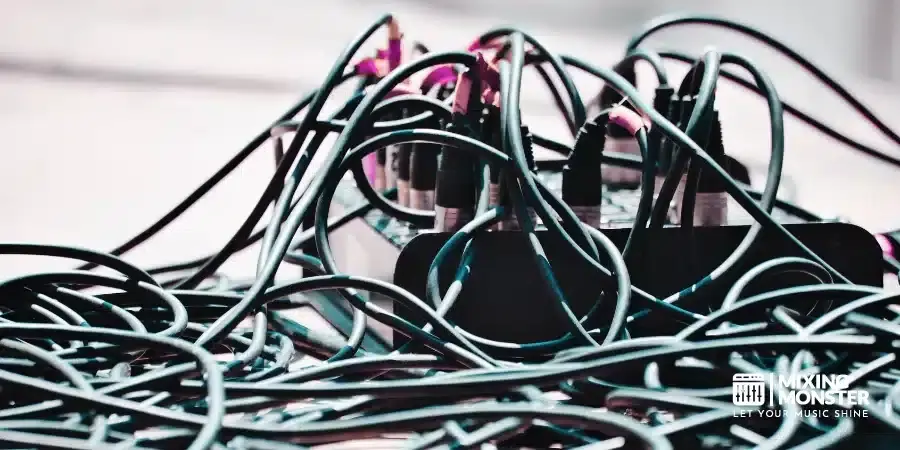
Cable Management
Proper cable management can prevent wear and tear.
Avoid Bending: Do not bend cables sharply, as this can damage the internal wiring. Do not coil a cable over your elbow!
Use Cable Ties: Organize cables with ties to prevent tangling and damage.
Test Cables: Periodically test cables using a multimeter or a cable tester to ensure they are functioning properly.

Periodic Testing
Regularly test your speaker system to catch issues early.
Schedule Routine Checks: Establish an annual schedule to test your system, incorporating sound quality assessments and visual inspections.
Keep Records: Maintain a log of any issues and repairs for future reference.

By regularly inspecting, testing, and maintaining your speakers, you can ensure they perform at their best for years to come. Remember to stay proactive in your approach to maintenance, and don’t hesitate to seek professional help if you encounter persistent issues. With the right care, your speaker system can provide an exceptional listening experience for all your audio needs.
Comments